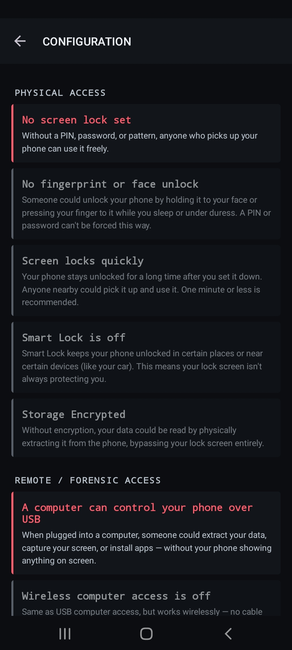
Flare is an Android app designed to assist users in evaluating their device's security posture. It identifies apps exhibiting potentially risky behavior and device configuration issues that may serve as attack surfaces.
It is important to note that downloading and installing Flare is not a straightforward process. The app is currently unavailable on the Google Play Store due to our decision to refrain from participating in Google's identity verification procedures. Additionally, we do not distribute the app on the F-Droid platform due to documented security shortcomings. This situation presents a challenging dilemma, as we generally advise against installing Android apps from web downloads. However, until more suitable alternatives become available, we are compelled to distribute the app as a standalone download. For the time being, we recommend using Obtainium to install Flare, you can do so by adding the app URL https://codeberg.org/breakout/flare.
The app should be signed with the following certificate, you can use AppVerifier to check your download or installed copy:
CC:60:C5:C2:16:A5:A2:F8:30:FF:91:35:7B:5F:CF:68:05:CA:77:93:E6:63:AC:F4:0E:03:A8:D2:CA:EC:9E:FB
SECURITY NOTE: We strongly advise against routinely installing apps from web downloads, as it establishes an unsafe practice. If you are a user at risk, you should exercise extreme caution when installing apps from untrusted sources, particularly if you lack the technical expertise to verify that the app is signed and distributed by the original developer. An attacker could impersonate an existing app, introduce hidden spyware behavior, and distribute it through alternative channels. Furthermore, be wary of anyone, regardless of their perceived credibility, soliciting you to download and install an app, especially from unofficial sources. It is common for certain attackers to employ sophisticated social engineering tactics to deceive targeted users into doing so under pressure or duress.
Usage
Install and execute the app. Flare does not necessitate an internet connection, does not transmit any data, does not embed any analytics SDK, or any other potentially invasive components. It utilizes native Android API interfaces to query device configuration and assess the capabilities of all installed apps. Upon completion, it presents the results and attempts to contextualize as much as possible the security assessments it conducted.
The following are some example screenshots, although it is important to note that they are already outdated, as the app has undergone several rounds of minor redesign following some initial user feedback.
Start a scan
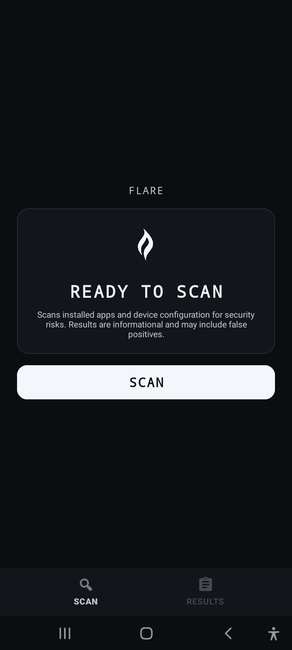
When launched you are presented with a Scan button to initiate the assessment:
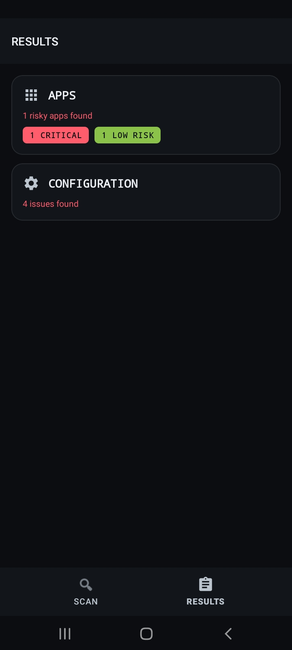
Once completed it presents an overview of the results for apps and for device configuration. Tap on each section to view the respective details.
Apps review
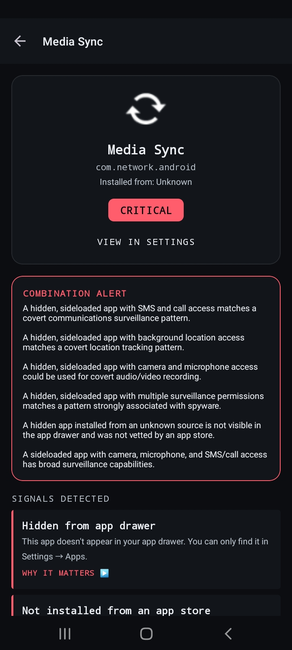
All installed user apps are displayed and ranked based on their risk level. The risk level is determined by analyzing and correlating each app's behavior and characteristics, identifying those that may indicate malicious behavior or at least potentially suspicious behavior.
NOTE: particularly during these early releases, as we continue assessing detection accuracy through user feedback, you should expect some false warnings. If an app is flagged as at high or critical risk, before taking any action, you could conduct online research, for instance by using the package name, to determine whether the apps appear to be legitimate. In the event of doubt, it is always advisable to consult with a trusted technical expert.
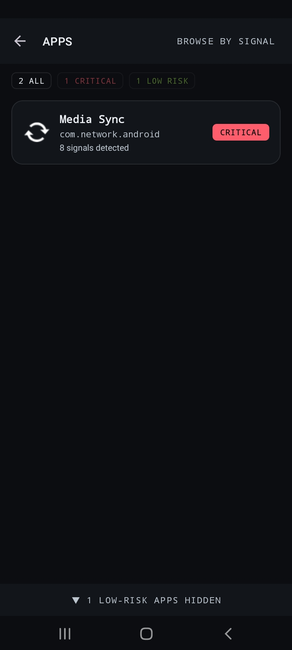
By tapping on each entry, you can view the associated details. Flare identifies individual "signals," which are specific characteristics of the application that may indicate more or less suspicious behavior. Additionally, some "combination alerts" will display any composite detections, heuristics that consider all the discovered application signals to identify particular malicious behavioral patterns.
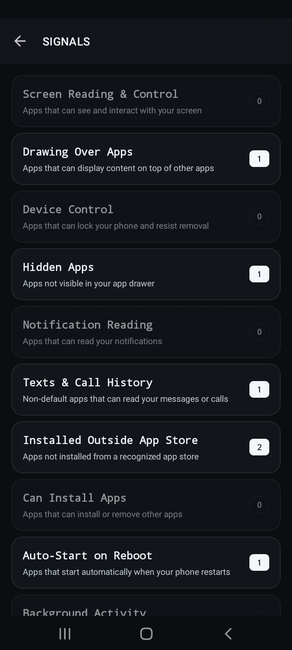
From the apps list view, you can also access the "BROWSE BY SIGNALS" option located in the top right corner. This will present a separate view where you can instead examine which applications are associated with each signal.
Configuration review
Finally, Flare provides an overview of the device's configuration and highlights settings that may pose a risk or enable unnecessary attack surface. Tapping on each entry leads to a relevant section of Android Settings to modify them.